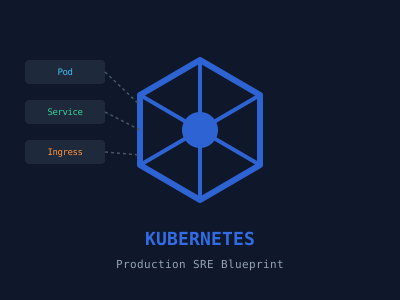
The Operational Shift to Kubernetes
In modern site reliability engineering (SRE), managing containerized workloads at scale demands deep architectural understanding rather than simple CLI memorization. In production, Kubernetes behaves as a complex distributed state machine. Troubleshooting outages, optimizing resource allocation, and maintaining zero-downtime upgrades are daily operational realities.
Whether you are preparing for a senior platform engineering interview or refining your production cluster guidelines based on SRE best practices, these core questions and architectural patterns represent the critical operational knowledge required in modern enterprise environments.
Core Concepts and Troubleshooting Patterns
1. Diagnosing Pod Failure States (CrashLoopBackOff and OOMKilled)
Question: How do you systematically diagnose a Pod stuck in a CrashLoopBackOff state, and how does it differ from an OOMKilled event?
Answer: A CrashLoopBackOff indicates that the container started, but repeatedly exited unexpectedly. The troubleshooting lifecycle involves:
- Inspecting the pod status to determine the exit code: kubectl describe pod <pod-name>.
- Retrieving current and previous container logs: kubectl logs <pod-name> --previous.
- Validating volume mounts, missing configuration maps, or incorrect entrypoint parameters.
An OOMKilled (Exit Code 137) state is fundamentally different. It indicates that the Linux kernel Out-Of-Memory killer terminated the container process because it exceeded its defined memory limit. This is triggered by the cgroups boundary configured on the node.
Production Solution: Configure explicit resource requests and limits, and attach structured readiness, liveness, and startup probes to prevent traffic from hitting unhealthy pods.
apiVersion: apps/v1
kind: Deployment
metadata:
  name: billing-api
  namespace: finance
spec:
  replicas: 3
  selector:
    matchLabels:
      app: billing-api
  template:
    metadata:
      labels:
        app: billing-api
    spec:
      containers:
      - name: web
        image: internal-registry.net/finance/billing:v2.1.0
        resources:
          requests:
            memory: "256Mi"
            cpu: "200m"
          limits:
            memory: "512Mi"
            cpu: "500m"
        startupProbe:
          httpGet:
            path: /healthz
            port: 8080
          failureThreshold: 30
          periodSeconds: 10
        livenessProbe:
          httpGet:
            path: /live
            port: 8080
          periodSeconds: 15
        readinessProbe:
          httpGet:
            path: /ready
            port: 8080
          periodSeconds: 10
2. Orchestrating Zero-Downtime Deployments
Question: How do you guarantee zero-downtime rolling updates in a highly active production service?
Answer: To update applications without dropping packets, you must coordinate three native subsystems:
- RollingUpdate Strategy: Define maxSurge (how many pods can be created above target) and maxUnavailable (how many pods can be taken down during the transition).
- Probes: Implement a robust readinessProbe so the Service router does not send traffic to new pods until they have initialized.
- Graceful Termination: Handle the SIGTERM signal inside your application. Implement a lifecycle preStop hook to sleep for a few seconds, allowing the kube-proxy and network ingress to update their routing endpoints before the container processes stop.
apiVersion: apps/v1
kind: Deployment
metadata:
  name: user-auth-service
  namespace: identity
spec:
  replicas: 4
  strategy:
    type: RollingUpdate
    rollingUpdate:
      maxSurge: 25%
      maxUnavailable: 0
  selector:
    matchLabels:
      app: auth
  template:
    metadata:
      labels:
        app: auth
    spec:
      containers:
      - name: auth-app
        image: internal-registry.net/identity/auth:v1.4.2
        lifecycle:
          preStop:
            exec:
              command: ["/bin/sh", "-c", "sleep 15"]
        readinessProbe:
          httpGet:
            path: /ready
            port: 9000
          initialDelaySeconds: 5
          periodSeconds: 5
3. Enforcing Network Isolation with NetworkPolicies
Question: By default, all pods in a cluster can communicate with each other. How do you implement a zero-trust network topology using NetworkPolicies?
Answer: SRE and Security compliance requires a "default-deny" network posture. First, apply a wildcard default-deny policy to the namespace to block all ingress and egress traffic. Then, selectively create targeted policies to allow only explicitly validated traffic paths.
apiVersion: networking.k8s.io/v1
kind: NetworkPolicy
metadata:
  name: default-deny-all
  namespace: production
spec:
  podSelector: {}
  policyTypes:
  - Ingress
  - Egress
---
apiVersion: networking.k8s.io/v1
kind: NetworkPolicy
metadata:
  name: allow-db-ingress
  namespace: production
spec:
  podSelector:
    matchLabels:
      role: database
  ingress:
  - from:
    - podSelector:
        matchLabels:
          role: backend-api
    ports:
    - protocol: TCP
      port: 5432
Essential SRE Best Practices for 2026
- Avoid Using the Default Namespace: Enforce resource limits and clear IAM boundaries by isolating workloads using dedicated namespaces.
- Implement Node Anti-Affinity: Prevent single-point-of-failure scenarios by distributing matching replica pods across multiple nodes or zones.
- Utilize Remote State Control: Ensure configuration drifts are handled by declarative tools like ArgoCD or Flux (GitOps) rather than direct kubectl apply runs.
- Redact Sensitive Secrets: Do not store DB credentials in clear-text ConfigMaps. Inject them as Environment variables from secured Secrets or an external Vault engine.