The Problem Terraform Solves
Before Infrastructure as Code became standard practice, teams provisioned servers, databases, and networking resources by clicking through web consoles or running ad-hoc scripts. This approach created several problems:
- No version history: You couldn't easily see what changed or roll back a configuration.
- Environment drift: Production, staging, and development environments diverged over time because changes were made inconsistently.
- Manual errors: Human mistakes during provisioning led to outages and security vulnerabilities.
- Knowledge silos: Only certain team members understood how the infrastructure was set up.
Terraform solves these problems by letting you describe infrastructure in plain text files that can be committed to Git, reviewed in pull requests, and applied consistently to any environment.
What Is Terraform?
Terraform, created by HashiCorp in 2014, is an open-source tool that uses the HashiCorp Configuration Language (HCL) to define infrastructure resources. You write configuration files describing the desired state of your infrastructure, and Terraform figures out how to create, update, or destroy resources to match that state.
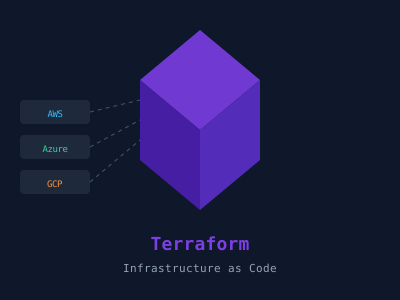
Terraform supports hundreds of providers — plugins that let it interact with cloud platforms (AWS, Azure, GCP), SaaS products (Datadog, GitHub, Cloudflare), and on-premises systems (VMware, Kubernetes). This makes it a true multi-cloud IaC tool.
Core Concepts
Providers
A provider is a plugin that Terraform uses to communicate with a specific API. You declare providers at the top of your configuration:
terraform {
  required_providers {
    aws = {
      source  = "hashicorp/aws"
      version = "~> 5.0"
    }
  }
}

provider "aws" {
  region = "us-east-1"
}
Resources
Resources are the fundamental building blocks. Each resource represents a single infrastructure object — an EC2 instance, an S3 bucket, a DNS record:
resource "aws_s3_bucket" "my_bucket" {
  bucket = "my-unique-bucket-name-2024"

  tags = {
    Environment = "production"
    Team        = "platform"
  }
}

resource "aws_s3_bucket_versioning" "versioning" {
  bucket = aws_s3_bucket.my_bucket.id

  versioning_configuration {
    status = "Enabled"
  }
}
Notice how aws_s3_bucket.my_bucket.id references the bucket's ID — Terraform builds a dependency graph from these references and provisions resources in the correct order.
Variables and Outputs
Variables make configurations reusable:
variable "environment" {
  description = "Deployment environment (dev, staging, prod)"
  type        = string
  default     = "dev"
}

variable "instance_type" {
  description = "EC2 instance type"
  type        = string
}
Outputs expose values to be used by other Terraform configurations or displayed after apply:
output "bucket_arn" {
  description = "The ARN of the S3 bucket"
  value       = aws_s3_bucket.my_bucket.arn
}
State
Terraform maintains a state file (terraform.tfstate) that maps your configuration to the real infrastructure it manages. This file is the source of truth for what Terraform knows about your infrastructure. For teams, you store state remotely in an S3 bucket or Terraform Cloud to enable collaboration and prevent conflicts.
terraform {
  backend "s3" {
    bucket         = "my-terraform-state"
    key            = "prod/terraform.tfstate"
    region         = "us-east-1"
    dynamodb_table = "terraform-state-lock"
    encrypt        = true
  }
}
The Terraform Workflow
The day-to-day Terraform workflow follows three commands:
1. terraform init Downloads the required provider plugins and initializes the backend. Run this whenever you add a new provider or backend configuration.
2. terraform plan Compares your desired configuration against the current state and shows you exactly what changes it will make:
+ aws_s3_bucket.my_bucket will be created
~ aws_instance.web will be modified
- aws_security_group.old will be destroyed
Review this output carefully before proceeding.
3. terraform apply Executes the planned changes. You must confirm by typing yes, or pass -auto-approve in CI/CD pipelines.
Use terraform destroy to tear down all resources managed by the configuration — useful for temporary environments.
Modules
Modules are reusable packages of Terraform configuration. Instead of duplicating code for each environment, you create a module and call it with different variables:
module "vpc" {
  source  = "terraform-aws-modules/vpc/aws"
  version = "5.1.2"

  name = "my-vpc-${var.environment}"
  cidr = "10.0.0.0/16"

  azs             = ["us-east-1a", "us-east-1b"]
  private_subnets = ["10.0.1.0/24", "10.0.2.0/24"]
  public_subnets  = ["10.0.101.0/24", "10.0.102.0/24"]
}
The Terraform Registry hosts thousands of community and verified modules for common infrastructure patterns.
Terraform vs. CloudFormation vs. Pulumi
| Feature | Terraform | CloudFormation | Pulumi |
|---|---|---|---|
| Language | HCL | YAML/JSON | Python, TypeScript, Go |
| Multi-cloud | Yes | AWS only | Yes |
| State management | External/Terraform Cloud | Managed by AWS | Pulumi Cloud |
| Community | Very large | Large | Growing |
Best Practices
- Use remote state with locking to prevent concurrent modifications.
- Break configurations into modules for reusability.
- Use workspaces (or separate directories) for environment isolation.
- Lock provider versions to prevent unintended upgrades.
- Run terraform fmt to keep code consistently formatted.
- Use terraform validate in CI before applying.
- Store sensitive values in environment variables or a secrets manager, never in plain .tf files.
Getting Started
Install Terraform from the official site, configure AWS credentials, write a simple resource, and run terraform init && terraform plan && terraform apply. Within minutes you will have infrastructure that is version-controlled, reproducible, and auditable — a massive improvement over clicking through console UIs.