Why Learn Node.js and Express?
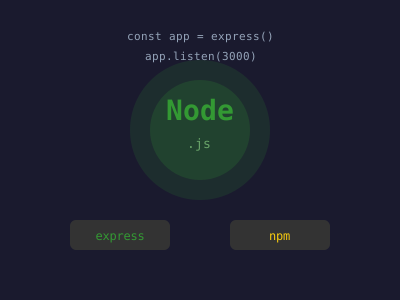
JavaScript was once confined to the browser. Node.js changed that in 2009 by bringing JavaScript to the server side using Google's V8 engine. Today, Node.js powers massive applications at Netflix, LinkedIn, Uber, and PayPal. Express, the most popular Node.js framework, makes building web servers and APIs simple and flexible.
Learning Node.js and Express opens the door to full-stack JavaScript development: you can use the same language on both the client and server, share code between them, and build highly performant applications capable of handling thousands of concurrent connections.
Understanding Node.js
Node.js is a JavaScript runtime built on Chrome's V8 engine. Unlike traditional web servers that create a new thread for each request, Node.js uses a single-threaded, event-driven, non-blocking I/O model.
The Event Loop
The event loop is the heart of Node.js. When Node receives a task (reading a file, querying a database, making an HTTP request), it offloads that work and continues processing other requests. When the task finishes, its callback is placed in the event queue and executed when the call stack is empty.
This means a single Node.js process can handle thousands of concurrent connections without creating thousands of threads — making it ideal for I/O-intensive applications like APIs, chat servers, and streaming services.
Your First Node.js Program
// hello.js
const http = require('http');

const server = http.createServer((req, res) => {
  res.writeHead(200, { 'Content-Type': 'text/plain' });
  res.end('Hello, World!\n');
});

server.listen(3000, () => {
  console.log('Server running at http://localhost:3000');
});
Run it with node hello.js. This creates a basic HTTP server using only Node's built-in modules — no frameworks needed.
npm and the Node Ecosystem
npm (Node Package Manager) is the world's largest software registry with over two million packages. You initialize a project with:
npm init -yThis creates a package.json file that tracks your project's dependencies, scripts, and metadata. Essential npm commands:
npm install express          # Install a package
npm install --save-dev nodemon  # Dev dependency
npm run start               # Run a script from package.json
Always add node_modules/ to your .gitignore — dependencies are installed, not committed.
Getting Started with Express
Express is a minimal web framework that adds routing, middleware, and request/response helpers on top of Node's HTTP module.
// install express js
npm install express

// start server
const express = require('express');
const app = express();
const PORT = process.env.PORT || 3000;

// Parse JSON request bodies
app.use(express.json());

// Basic route
app.get('/', (req, res) => {
  res.json({ message: 'Welcome to my API' });
});

app.listen(PORT, () => {
  console.log(`Server listening on port ${PORT}`);
});
Routing in Express
Express routing maps HTTP methods and URL paths to handler functions:
// GET all users
app.get('/users', async (req, res) => {
  const users = await User.findAll();
  res.json(users);
});

// GET a single user
app.get('/users/:id', async (req, res) => {
  const { id } = req.params;
  const user = await User.findById(id);
  if (!user) return res.status(404).json({ error: 'User not found' });
  res.json(user);
});

// POST create a user
app.post('/users', async (req, res) => {
  const { name, email } = req.body;
  const user = await User.create({ name, email });
  res.status(201).json(user);
});

// PUT update a user
app.put('/users/:id', async (req, res) => {
  const updated = await User.update(req.params.id, req.body);
  res.json(updated);
});

// DELETE a user
app.delete('/users/:id', async (req, res) => {
  await User.delete(req.params.id);
  res.status(204).end();
});
Use express.Router() to organize routes into separate files:
// routes/users.js
const router = require('express').Router();

router.get('/', getAllUsers);
router.get('/:id', getUser);
router.post('/', createUser);

module.exports = router;

// In app.js
app.use('/api/users', require('./routes/users'));
Middleware
Middleware functions have access to the request object, response object, and the next function. They form a pipeline that processes requests before they reach route handlers.
// Logging middleware
const logger = (req, res, next) => {
  console.log(`${req.method} ${req.url} - ${new Date().toISOString()}`);
  next(); // Pass control to the next middleware
};

app.use(logger);

// Authentication middleware
const authenticate = (req, res, next) => {
  const token = req.headers.authorization?.split(' ')[1];
  if (!token) return res.status(401).json({ error: 'No token provided' });
  try {
    req.user = verifyToken(token);
    next();
  } catch {
    res.status(403).json({ error: 'Invalid token' });
  }
};

// Apply only to specific routes
app.use('/api/admin', authenticate);
Popular middleware packages: cors, helmet, morgan, express-rate-limit.
Connecting to a Database
Most Express apps connect to MongoDB via Mongoose or to a SQL database via Sequelize or Prisma:
const mongoose = require('mongoose');

mongoose.connect(process.env.MONGODB_URI)
  .then(() => console.log('Connected to MongoDB'))
  .catch(err => console.error('Connection error:', err));

// Define a schema
const userSchema = new mongoose.Schema({
  name: { type: String, required: true },
  email: { type: String, required: true, unique: true },
  createdAt: { type: Date, default: Date.now },
});

const User = mongoose.model('User', userSchema);
Error Handling
Express has built-in error handling middleware. Define it with four arguments — the first being the error:
// Async wrapper to catch promise rejections
const asyncHandler = fn => (req, res, next) => {
  Promise.resolve(fn(req, res, next)).catch(next);
};

// Error handling middleware (must be last)
app.use((err, req, res, next) => {
  console.error(err.stack);
  res.status(err.status || 500).json({
    error: err.message || 'Internal Server Error',
  });
});
Environment Variables
Never hardcode secrets. Use the dotenv package to load variables from a .env file:
// install dotenv
npm install dotenv

// load to use in application / server
require('dotenv').config();
const port = process.env.PORT;
const dbUrl = process.env.DATABASE_URL;
Deployment
For production deployment:
- Use a process manager like PM2 to keep the app running and restart it on crashes.
- Put Nginx in front as a reverse proxy for SSL termination and load balancing.
- Deploy to Heroku, Railway, Render, or a VPS on DigitalOcean.
npm install -g pm2
pm2 start app.js --name my-api
pm2 startup  # Auto-start on server reboot
Conclusion
Node.js and Express give you a powerful, flexible platform for building everything from simple REST APIs to real-time applications. The non-blocking I/O model handles high concurrency efficiently, npm's ecosystem provides solutions for nearly every problem, and Express's minimalist approach means you build exactly what you need without framework overhead. Master these fundamentals and you have a solid foundation for any JavaScript backend project.