Why Python and SQL Together?
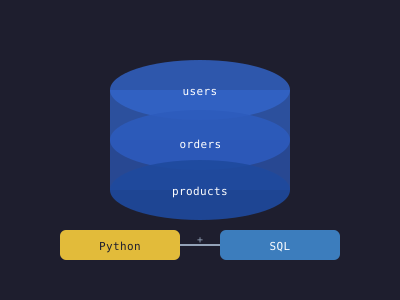
Python and SQL form a powerful combination. SQL excels at querying, filtering, and aggregating structured data in relational databases. Python provides the programming constructs — loops, conditionals, data structures, and libraries — to process, transform, and visualize that data. Together they are the backbone of data pipelines, web backends, ETL processes, and analytical workflows.
SQLite: Getting Started Without a Server
SQLite is a serverless database engine included in Python's standard library. It stores the entire database in a single file, making it perfect for development, testing, and lightweight applications:
import sqlite3

# Connect to a database (creates the file if it doesn't exist)
conn = sqlite3.connect('myapp.db')
cursor = conn.cursor()

# Create a table
cursor.execute('''
    CREATE TABLE IF NOT EXISTS users (
        id INTEGER PRIMARY KEY AUTOINCREMENT,
        name TEXT NOT NULL,
        email TEXT UNIQUE NOT NULL,
        created_at TIMESTAMP DEFAULT CURRENT_TIMESTAMP
    )
''')

# Insert a row
cursor.execute(
    "INSERT INTO users (name, email) VALUES (?, ?)",
    ("Alice", "alice@example.com")
)

# Always commit after write operations
conn.commit()

# Query data
cursor.execute("SELECT id, name, email FROM users WHERE name = ?", ("Alice",))
row = cursor.fetchone()
print(row)  # (1, 'Alice', 'alice@example.com')

# Fetch all rows
cursor.execute("SELECT * FROM users")
for row in cursor.fetchall():
    print(row)

conn.close()
Important: Always use parameterized queries (? placeholders) rather than string formatting. String formatting opens the door to SQL injection attacks.
The Context Manager Pattern
Use context managers to ensure connections are properly closed and transactions are automatically committed or rolled back:
import sqlite3
from contextlib import contextmanager

@contextmanager
def get_db(path='myapp.db'):
    conn = sqlite3.connect(path)
    conn.row_factory = sqlite3.Row  # Access columns by name
    try:
        yield conn
        conn.commit()
    except Exception:
        conn.rollback()
        raise
    finally:
        conn.close()

# Usage
with get_db() as conn:
    conn.execute("INSERT INTO users (name, email) VALUES (?, ?)", ("Bob", "bob@example.com"))

# sqlite3.Row allows column access by name
with get_db() as conn:
    user = conn.execute("SELECT * FROM users WHERE id = ?", (1,)).fetchone()
    print(user['name'])  # Alice
PostgreSQL with psycopg2
For production applications, PostgreSQL offers ACID compliance, advanced features, and excellent concurrency. Install the adapter:
pip install psycopg2-binaryimport psycopg2
from psycopg2.extras import RealDictCursor
conn = psycopg2.connect(
host="localhost",
database="myapp",
user="postgres",
password="secret",
port=5432
)
# Use RealDictCursor for dict-like row access
with conn.cursor(cursor_factory=RealDictCursor) as cur:
cur.execute("""
SELECT u.id, u.name, u.email, COUNT(o.id) AS order_count
FROM users u
LEFT JOIN orders o ON u.id = o.user_id
WHERE u.created_at > %s
GROUP BY u.id, u.name, u.email
ORDER BY order_count DESC
LIMIT 10
""", ('2024-01-01',))
users = cur.fetchall()
for user in users:
print(f"{user['name']}: {user['order_count']} orders")
conn.commit()
conn.close()PostgreSQL uses %s as the placeholder instead of SQLite's ?.
Connection Pooling
Opening a database connection for every request is expensive. Connection pools reuse existing connections:
from psycopg2 import pool

# Create a pool with min 2, max 10 connections
connection_pool = pool.SimpleConnectionPool(
    2, 10,
    host="localhost",
    database="myapp",
    user="postgres",
    password="secret"
)

def get_users():
    conn = connection_pool.getconn()
    try:
        with conn.cursor() as cur:
            cur.execute("SELECT * FROM users")
            return cur.fetchall()
    finally:
        connection_pool.putconn(conn)  # Return to pool
SQLAlchemy: The Python SQL Toolkit
SQLAlchemy provides two layers:
- Core: Expression language for writing SQL in Python
- ORM: Maps Python classes to database tables
SQLAlchemy ORM
from sqlalchemy import create_engine, Column, Integer, String, DateTime, ForeignKey
from sqlalchemy.orm import DeclarativeBase, relationship, Session
from datetime import datetime

engine = create_engine('postgresql://postgres:secret@localhost/myapp', echo=True)

class Base(DeclarativeBase):
    pass

class User(Base):
    __tablename__ = 'users'

    id = Column(Integer, primary_key=True)
    name = Column(String(100), nullable=False)
    email = Column(String(200), unique=True, nullable=False)
    created_at = Column(DateTime, default=datetime.utcnow)
    orders = relationship('Order', back_populates='user')

class Order(Base):
    __tablename__ = 'orders'

    id = Column(Integer, primary_key=True)
    user_id = Column(Integer, ForeignKey('users.id'), nullable=False)
    total = Column(Integer, nullable=False)  # Store in cents
    user = relationship('User', back_populates='orders')

# Create tables
Base.metadata.create_all(engine)

# Insert
with Session(engine) as session:
    user = User(name="Alice", email="alice@example.com")
    session.add(user)
    session.commit()
    print(user.id)  # ID is populated after commit

# Query
with Session(engine) as session:
    # All users
    users = session.query(User).all()

    # Filter
    alice = session.query(User).filter(User.name == 'Alice').first()

    # Join
    result = (
        session.query(User, Order)
        .join(Order)
        .filter(Order.total > 10000)
        .all()
    )
Pandas and SQL
Pandas integrates directly with SQL databases:
import pandas as pd
from sqlalchemy import create_engine

engine = create_engine('postgresql://postgres:secret@localhost/myapp')

# Read entire table into DataFrame
df = pd.read_sql_table('orders', engine)

# Read with custom SQL
df = pd.read_sql_query(
    "SELECT user_id, SUM(total) as revenue FROM orders GROUP BY user_id",
    engine
)

# Write DataFrame to database
df.to_sql('monthly_summary', engine, if_exists='replace', index=False)
Transactions and ACID
Transactions group multiple SQL statements into an atomic unit. Either all succeed or all fail:
with Session(engine) as session:
    try:
        # Debit account A
        session.execute(
            "UPDATE accounts SET balance = balance - :amount WHERE id = :id",
            {"amount": 100, "id": 1}
        )
        # Credit account B
        session.execute(
            "UPDATE accounts SET balance = balance + :amount WHERE id = :id",
            {"amount": 100, "id": 2}
        )
        session.commit()
    except Exception as e:
        session.rollback()
        raise
Common SQL Patterns in Python
# Bulk insert (much faster than one-by-one)
users = [("Alice", "alice@example.com"), ("Bob", "bob@example.com")]
cursor.executemany("INSERT INTO users (name, email) VALUES (?, ?)", users)

# Upsert (INSERT or UPDATE)
cursor.execute("""
    INSERT INTO users (email, name) VALUES (?, ?)
    ON CONFLICT (email) DO UPDATE SET name = excluded.name
""", ("alice@example.com", "Alice Updated"))

# Pagination
cursor.execute("SELECT * FROM products ORDER BY id LIMIT ? OFFSET ?", (10, 20))

# Full-text search in PostgreSQL
cursor.execute("""
    SELECT * FROM articles
    WHERE to_tsvector('english', body) @@ plainto_tsquery('english', %s)
""", ("python database",))
Security Best Practices
- Never use string formatting for SQL queries. Always use parameterized queries.
- Store database credentials in environment variables, not in code.
- Use the principle of least privilege: give database users only the permissions they need.
- Validate and sanitize all user input before using it in queries.
- Use SSL connections when connecting to remote databases.
- Regularly back up your database and test restores.
Performance Tips
- Add indexes on columns used in WHERE clauses and JOINs.
- Use EXPLAIN (or EXPLAIN ANALYZE in PostgreSQL) to understand query plans.
- Fetch only the columns you need — avoid SELECT * in production.
- Use connection pooling in web applications.
- Consider caching frequently read, rarely updated data in Redis.