Why Django?
Django follows the philosophy of "batteries included" — it comes with an admin panel, ORM, authentication system, form handling, security middleware, and internationalization support built in. Compare this to Flask, which is micro and requires assembling these tools yourself. Django lets you focus on your application's unique logic rather than reinventing infrastructure.
Major websites built with Django include Instagram, Pinterest, Disqus, and The Washington Post. Its maturity (released in 2005), excellent documentation, and active community make it an excellent choice for projects of any scale.
Setting Up a Django Project
Install Django using pip, ideally in a virtual environment:
python3 -m venv venv
source venv/bin/activate       # On Windows: venv\Scripts\activate
pip install django==3.2
django-admin startproject mysite .
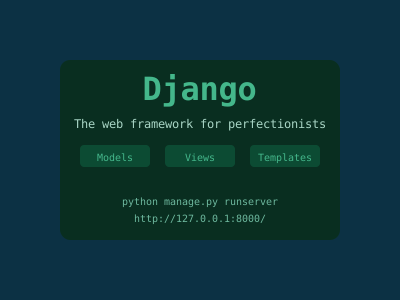
python manage.py runserver
Visit http://127.0.0.1:8000 to see Django's welcome page.
Django Project Structure
mysite/
├── manage.py          # Command-line utility
├── mysite/
│   ├── settings.py    # Configuration (databases, apps, middleware)
│   ├── urls.py        # Root URL configuration
│   ├── wsgi.py        # WSGI entry point for production
│   └── asgi.py        # ASGI entry point (async)
Create an app for a specific feature:
python manage.py startapp blogAdd it to INSTALLED_APPS in settings.py:
INSTALLED_APPS = [
    'django.contrib.admin',
    'django.contrib.auth',
    ...
    'blog',  # Your new app
]
Models: Defining Your Data
Django's ORM lets you define database tables as Python classes. Django translates them to SQL for you:
# blog/models.py
from django.db import models
from django.contrib.auth.models import User

class Category(models.Model):
    name = models.CharField(max_length=100)
    slug = models.SlugField(unique=True)

    def __str__(self):
        return self.name

class Post(models.Model):
    STATUS_CHOICES = [
        ('draft', 'Draft'),
        ('published', 'Published'),
    ]
    title = models.CharField(max_length=250)
    slug = models.SlugField(unique_for_date='publish')
    author = models.ForeignKey(User, on_delete=models.CASCADE, related_name='blog_posts')
    category = models.ForeignKey(Category, on_delete=models.SET_NULL, null=True)
    body = models.TextField()
    publish = models.DateTimeField(auto_now_add=True)
    created = models.DateTimeField(auto_now_add=True)
    updated = models.DateTimeField(auto_now=True)
    status = models.CharField(max_length=10, choices=STATUS_CHOICES, default='draft')

    class Meta:
        ordering = ['-publish']

    def __str__(self):
        return self.title
Apply changes to the database:
python manage.py makemigrations
python manage.py migrate
The Django Admin
One of Django's killer features is the auto-generated admin interface. Register your models:
# blog/admin.py
from django.contrib import admin
from .models import Post, Category

@admin.register(Post)
class PostAdmin(admin.ModelAdmin):
    list_display = ['title', 'author', 'status', 'publish']
    list_filter = ['status', 'created', 'publish', 'author']
    search_fields = ['title', 'body']
    prepopulated_fields = {'slug': ('title',)}
    date_hierarchy = 'publish'
    ordering = ['status', '-publish']
Create a superuser and visit /admin/:
python manage.py createsuperuserViews: Handling Requests
Views are Python functions (or classes) that receive HTTP requests and return responses:
# blog/views.py
from django.shortcuts import render, get_object_or_404
from .models import Post

def post_list(request):
    posts = Post.objects.filter(status='published').order_by('-publish')
    return render(request, 'blog/post_list.html', {'posts': posts})

def post_detail(request, year, month, day, post_slug):
    post = get_object_or_404(
        Post,
        slug=post_slug,
        status='published',
        publish__year=year,
        publish__month=month,
        publish__day=day,
    )
    return render(request, 'blog/post_detail.html', {'post': post})
URL Configuration
Map URLs to views:
# blog/urls.py
from django.urls import path
from . import views

app_name = 'blog'

urlpatterns = [
    path('', views.post_list, name='post_list'),
    path('<int:year>/<int:month>/<int:day>/<slug:post_slug>/',
         views.post_detail, name='post_detail'),
]

# mysite/urls.py
from django.contrib import admin
from django.urls import path, include

urlpatterns = [
    path('admin/', admin.site.urls),
    path('blog/', include('blog.urls', namespace='blog')),
]
Templates: Rendering HTML
Django templates use a simple language for embedding data and logic in HTML:
<!-- templates/blog/post_list.html -->
{% extends "base.html" %}

{% block content %}
  <h1>Blog Posts</h1>
  {% for post in posts %}
    <article>
      <h2>
        <a href="{% url 'blog:post_detail' post.publish.year post.publish.month post.publish.day post.slug %}">
          {{ post.title }}
        </a>
      </h2>
      <p>By {{ post.author }} on {{ post.publish|date:"N j, Y" }}</p>
      <p>{{ post.body|truncatewords:30 }}</p>
    </article>
  {% empty %}
    <p>No posts yet.</p>
  {% endfor %}
{% endblock %}
The base.html template defines common structure (header, footer) and uses {% block %} tags as placeholders.
Forms and User Input
Django's form system handles validation and rendering:
# blog/forms.py
from django import forms

class CommentForm(forms.Form):
    name = forms.CharField(max_length=80)
    email = forms.EmailField()
    body = forms.CharField(widget=forms.Textarea)

# In view:
def post_detail(request, ...):
    ...
    form = CommentForm(request.POST or None)
    if request.method == 'POST' and form.is_valid():
        # Process the comment
        name = form.cleaned_data['name']
        ...
    return render(request, 'blog/post_detail.html', {'post': post, 'form': form})
Authentication System
Django's built-in authentication handles login, logout, and password management:
from django.contrib.auth.decorators import login_required
from django.contrib.auth import authenticate, login, logout

@login_required
def dashboard(request):
    return render(request, 'account/dashboard.html')
Use django.contrib.auth.urls to add login and logout URLs automatically.
Class-Based Views
For common patterns, CBVs reduce repetitive code:
from django.views.generic import ListView, DetailView

class PostListView(ListView):
    model = Post
    template_name = 'blog/post_list.html'
    context_object_name = 'posts'
    paginate_by = 10
    queryset = Post.objects.filter(status='published')
Deployment
For production deployment:
- Set DEBUG = False and configure ALLOWED_HOSTS
- Use PostgreSQL instead of SQLite
- Serve static files via Whitenoise or a CDN
- Use Gunicorn as the WSGI server
- Deploy to Heroku, Railway, or a VPS with Nginx
pip install gunicorn whitenoise
gunicorn mysite.wsgi --bind 0.0.0.0:8000
Conclusion
Django's "batteries included" approach dramatically accelerates development. The ORM, admin interface, and authentication system alone save weeks of work compared to building from scratch. Combined with Python's readability and Django's mature ecosystem, it remains one of the best choices for building web applications in 2024 and beyond.