What Is Redis?
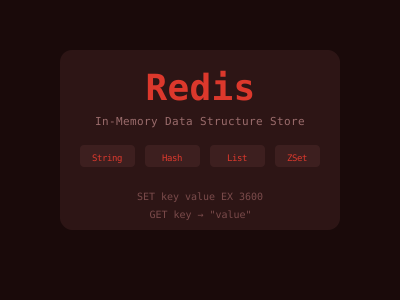
Redis (Remote Dictionary Server) is an in-memory data store created by Salvatore Sanfilippo in 2009. Unlike traditional relational databases that read and write to disk, Redis stores data primarily in RAM, making it extraordinarily fast — capable of handling millions of operations per second with sub-millisecond latency.
Redis is most commonly used for:
- Caching — storing the results of expensive database queries or API calls
- Session storage — keeping user session data accessible across multiple servers
- Real-time leaderboards — sorted sets make ranking operations trivial
- Message queues — pub/sub and streams enable event-driven architectures
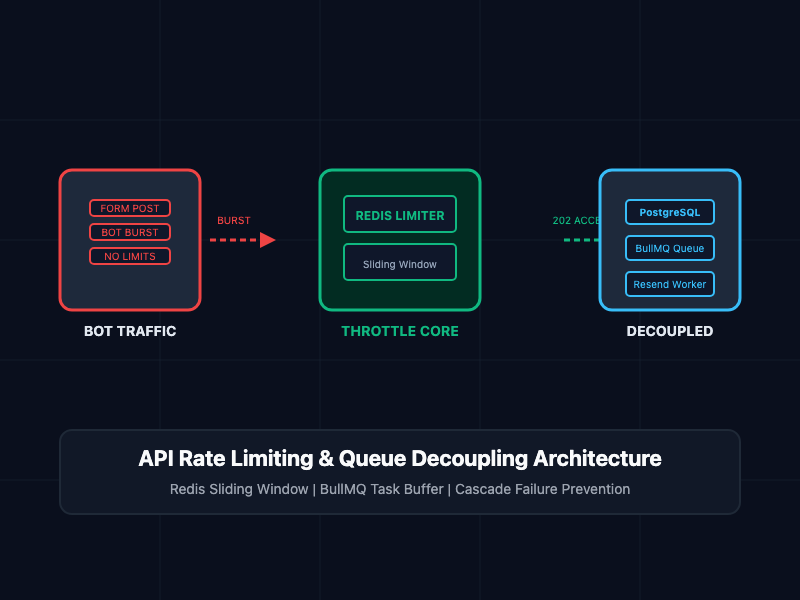
- Rate limiting — counting requests per user per time window
- Distributed locks — coordinating access to shared resources
Installation and Connection
Install Redis locally:
# macOS
brew install redis
brew services start redis

# Ubuntu/Debian
sudo apt update && sudo apt install redis-server
sudo systemctl start redis

# Docker (easiest)
docker run -d --name redis -p 6379:6379 redis:7-alpine
Connect using the Redis CLI:
redis-cli
127.0.0.1:6379> PING
PONG
Core Data Types
Redis is not just a simple key-value store. It supports rich data structures:
Strings
The simplest type — a key mapped to a string value (which can also hold integers):
SET user:1:name "Alice"
GET user:1:name                 # "Alice"
SET counter 0
INCR counter                   # 1
INCRBY counter 5               # 6
DECRBY counter 2               # 4

# Expiration
SET session:abc "token123" EX 3600   # Expires in 1 hour
TTL session:abc                       # Seconds remaining
PERSIST session:abc                   # Remove expiration
Lists
Ordered sequences — great for queues, recent activity feeds, and stacks:
LPUSH notifications "New message"    # Push to left
RPUSH notifications "New follower"   # Push to right
LRANGE notifications 0 -1            # Get all elements
LPOP notifications                   # Remove and return from left
LLEN notifications                   # Length

# Use as a queue: RPUSH to enqueue, LPOP to dequeue
# Use as a stack: LPUSH to push, LPOP to pop
# BLPOP blocks until an element is available (perfect for workers)
BLPOP notifications 0
Hashes
Key-value pairs within a single Redis key — perfect for representing objects:
HSET user:1 name "Alice" email "alice@example.com" age 30
HGET user:1 name             # "Alice"
HGETALL user:1               # All fields and values
HSET user:1 age 31           # Update a single field
HINCRBY user:1 login_count 1 # Increment a numeric field
HDEL user:1 age              # Delete a field
HEXISTS user:1 email         # 1 (true)
Sets
Unordered collections of unique strings — great for tags, followers, and set operations:
SADD tags:post:1 "python" "redis" "backend"
SADD tags:post:2 "python" "django" "web"
SMEMBERS tags:post:1               # All members
SISMEMBER tags:post:1 "redis"      # 1 (true)
SCARD tags:post:1                  # Count: 3

# Set operations
SUNION tags:post:1 tags:post:2     # Union
SINTER tags:post:1 tags:post:2     # Intersection: {"python"}
SDIFF tags:post:1 tags:post:2      # Difference: {"redis", "backend"}
Sorted Sets (ZSets)
Each member has an associated floating-point score. Members are always sorted by score — perfect for leaderboards, rankings, and time-series data:
ZADD leaderboard 1500 "alice"
ZADD leaderboard 2300 "bob"
ZADD leaderboard 1800 "carol"

ZRANGE leaderboard 0 -1 WITHSCORES   # Ascending order
ZREVRANGE leaderboard 0 2 WITHSCORES # Top 3 descending
ZRANK leaderboard "alice"            # Rank (0-indexed)
ZSCORE leaderboard "bob"             # 2300
ZINCRBY leaderboard 100 "alice"      # Add 100 to Alice's score
Publish/Subscribe (Pub/Sub)
Redis pub/sub enables real-time messaging between clients:
# Terminal 1: Subscribe
redis-cli SUBSCRIBE news sports

# Terminal 2: Publish
redis-cli PUBLISH news "Breaking: Redis 8.0 released"
# Terminal 1 will receive this message
In Node.js:
const redis = require('redis');

const subscriber = redis.createClient();
const publisher = redis.createClient();

await subscriber.connect();
await publisher.connect();

await subscriber.subscribe('notifications', (message, channel) => {
  console.log(`Received on ${channel}: ${message}`);
});

await publisher.publish('notifications', JSON.stringify({ type: 'alert', text: 'Server overloaded' }));
Practical Use Case: Caching
The most common Redis use case is caching database query results:
import redis
import json
import hashlib
from functools import wraps

r = redis.Redis(host='localhost', port=6379, db=0, decode_responses=True)

def cache_result(ttl=300):
    """Cache function results in Redis for ttl seconds."""
    def decorator(func):
        @wraps(func)
        def wrapper(*args, **kwargs):
            # Create cache key from function name and arguments
            key_data = f"{func.__name__}:{args}:{kwargs}"
            cache_key = hashlib.md5(key_data.encode()).hexdigest()

            # Try cache first
            cached = r.get(cache_key)
            if cached:
                return json.loads(cached)

            # Cache miss — call the function
            result = func(*args, **kwargs)
            r.setex(cache_key, ttl, json.dumps(result))
            return result
        return wrapper
    return decorator

@cache_result(ttl=600)  # Cache for 10 minutes
def get_user_profile(user_id):
    # Expensive database query
    return db.query("SELECT * FROM users WHERE id = ?", user_id)
Rate Limiting with Redis
A simple but effective sliding window rate limiter:
def is_rate_limited(user_id, limit=100, window=60):
    """Allow up to `limit` requests per `window` seconds."""
    key = f"rate:{user_id}"
    pipe = r.pipeline()
    pipe.incr(key)
    pipe.expire(key, window)
    result = pipe.execute()
    return result[0] > limit
Persistence Options
Redis is not just a volatile cache — it offers durability:
- RDB (Redis Database): Periodic snapshots of the dataset. Fast restarts, some data loss possible.
- AOF (Append Only File): Logs every write operation. Minimal data loss, slower restart.
- RDB + AOF: Use both for best of both worlds.
Configure in redis.conf:
save 900 1        # Save if at least 1 key changed in 900 seconds
appendonly yes    # Enable AOF
appendfsync everysec  # Sync AOF to disk every second
Redis Cluster and High Availability
For production:
- Redis Sentinel: Monitors Redis instances and performs automatic failover
- Redis Cluster: Shards data across multiple nodes for horizontal scaling
- Managed Redis: Use ElastiCache (AWS), Upstash, or Redis Cloud to avoid operational overhead
Connecting from Python and Node.js
# Python
import redis
r = redis.Redis(host='localhost', port=6379, decode_responses=True)
r.set('key', 'value')
print(r.get('key'))


// Node.js
const { createClient } = require('redis');
const client = createClient({ url: 'redis://localhost:6379' });
await client.connect();
await client.set('key', 'value');
console.log(await client.get('key'));
Conclusion
Redis's combination of speed, versatility, and rich data structures makes it one of the most valuable tools in a developer's toolkit. Start with simple caching to improve application performance, then explore sorted sets for leaderboards, streams for event sourcing, and pub/sub for real-time features. The investment in learning Redis pays off quickly.