The Compilation and Tooling Friction in JavaScript Development
For years, Node.js developers have faced structural friction when managing modern JavaScript application lifecycles. This friction frequently results in:
- Complex Build Toolchains: Requiring heavy build steps (Babel, ts-node, esbuild, or tsc) simply to execute a local TypeScript script.
- Dependency Bloat: Pulling in third-party file-watching utilities (like nodemon) that add vulnerability vectors and CPU overhead during local iteration.
- Module Resolution Conflicts: Handling interoperability issues between CommonJS (CJS) require statements and modern ES Modules (ESM) import formats.
- Inconsistent Execution Latency: Managing memory overhead and slower execution times on containerized runtimes due to cold-starts.
Node.js v26.4.0 addresses these problems by graduating experimental internal features to stable states, removing the need for auxiliary build tooling, and embedding enterprise-grade development helpers directly into the core runtime binary.
What Is Node.js v26.4.0?
Node.js v26.4.0 is a feature-rich minor release within the v26 release line, building on the long-term support (LTS) goals of modernizing the engine's core capabilities. It incorporates an upgraded version of the Chromium V8 engine, optimizing garbage collection schedules and execution pathways for high-concurrency microservices.
The release focuses heavily on native developer productivity, introducing deeper integration for running TypeScript files out of the box, extending the native test-runner suite, and standardizing command-line diagnostic utilities.
Core Concepts and Features
1. Native TypeScript Execution (Type Stripping)
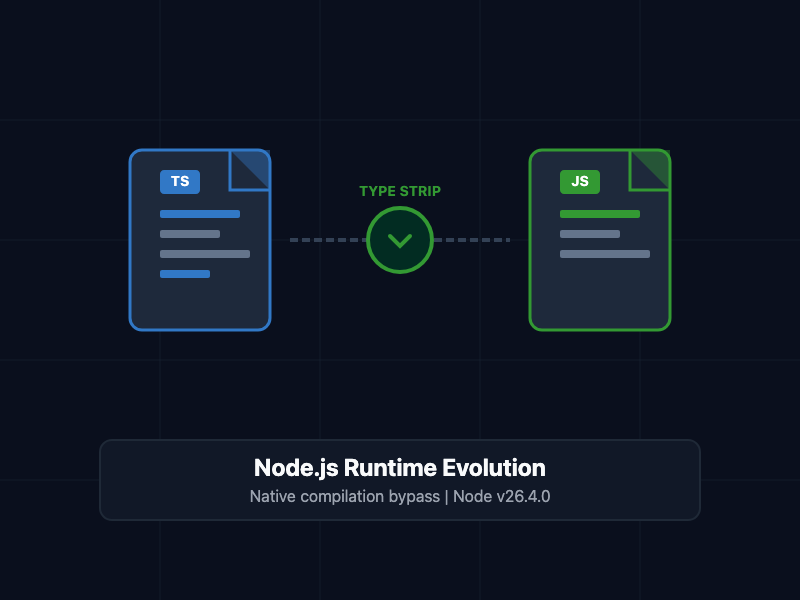
With the stabilization of --experimental-strip-types, Node.js can now execute TypeScript files directly without a compilation step. The runtime achieves this by parsing the Abstract Syntax Tree (AST) of the file, stripping away type declarations, interface definitions, and type annotations, and executing the resulting clean JavaScript code.
The following backend server file demonstrates a TypeScript file that Node.js v26.4.0 can execute directly in the terminal:
// server.ts - Native TypeScript Example
import http, { IncomingMessage, ServerResponse } from 'node:http';

interface ServerConfig {
  port: number;
  host: string;
}

const config: ServerConfig = {
  port: 3000,
  host: '127.0.0.1'
};

const server = http.createServer((req: IncomingMessage, res: ServerResponse) => {
  res.writeHead(200, { 'Content-Type': 'application/json' });
  res.end(JSON.stringify({
    status: 'ONLINE',
    runtime: 'Node.js v26.4.0',
    timestamp: new Date().toISOString()
  }));
});

server.listen(config.port, config.host, () => {
  console.log(`Server running at http://${config.host}:${config.port}/`);
});
To run this file directly without compiling to a /dist directory, invoke the command line with the type-stripping argument:
node --experimental-strip-types server.ts
2. Enhanced Native Watch Mode
Node.js v26.4.0 enhances the native --watch flag. Instead of restarting the entire process on any file modification—which clears runtime cache and delays developer feedback—the watch mode now utilizes selective hot-reloading for matching dependency modules.
You can configure the file watcher programmatically or execute it directly from your deployment configurations:
{
  "scripts": {
    "dev": "node --watch --watch-path=./src --experimental-strip-types src/server.ts"
  }
}
3. Standardizing ES Modules (ESM) Detection
Rather than forcing developers to specify "type": "module" inside their root package.json file or rename files to .mjs, Node.js v26.4.0 features a refined, deterministic parser that auto-detects ES Module syntax in standard .js inputs, reducing onboarding friction for legacy projects.
Comparative Analysis: Legacy Node.js vs. Node.js v26.4.0
Review the architectural improvements below to see how v26.4.0 streamlines the local development workflow:
| Feature | Legacy Node.js | Node.js v26.4.0 |
| TypeScript Execution | Requires tsc build or third-party wrappers | Native via --experimental-strip-types |
| Local File Watcher | Relies on nodemon or external orchestrators | Built-in via high-performance --watch |
| ESM Detection | Explicit configuration or strict file extensions | Smart syntax-based auto-detection |
| V8 Engine Version | Older V8 baselines | High-performance V8 engine iteration |
| Testing Harness | Requires testing frameworks (Jest/Mocha) | Fully integrated native test runner |
SRE and Development Best Practices
- Leverage Type Stripping for Development Only: While native type stripping is ideal for rapid development and testing cycles, continue to compile TypeScript down to pure JavaScript via tsc for production builds to minimize runtime AST parsing overhead.
- Implement Watching Restrictively: Utilize the --watch-path argument to limit the directories the file watcher monitors. Avoid watching large log files, database storage sub-folders, or static asset directories.
- Utilize Native Assertions: Migrate your unit testing suites to the built-in node:test and node:assert modules to decrease vendor lock-in and reduce your node_modules footprint.
- Transition to ESM: Use the improved module resolution parameters to safely transition legacy CommonJS projects to modern ES Modules, securing better dependency trees and tree-shaking capabilities.
Getting Started
To upgrade your local workspace to Node.js v26.4.0, run the install sequence via your node version manager of choice, verify the binary version, and start executing modern JavaScript/TypeScript without compilation overhead:
# Step 1: Install or use the specific version via NVM
nvm install 26.4.0
nvm use 26.4.0

# Step 2: Verify the active binary version
node -v

# Step 3: Run your TypeScript application utilizing type-stripping and native file watching
node --watch --experimental-strip-types server.ts
By leveraging this modern runtime layout, you eliminate development dependencies, simplify your repository structure, and run highly optimized code natively on your local development machine.