The Challenge of Runtime Vulnerability Management
Maintaining secure production runtimes is a central priority for Site Reliability Engineering (SRE) and DevSecOps teams. When low-level vulnerabilities are discovered in JavaScript runtime binaries—such as memory corruption, HTTP request smuggling, or buffer overflows in underlying dependencies like OpenSSL, c-ares, or V8—applications using those runtimes become vulnerable to remote exploitation.
Relying on outdated or unsupported runtime releases exposes infrastructure to automated exploitation frameworks. Furthermore, enterprise compliance standards (including SOC 2, ISO 27001, and PCI-DSS) require rapid patching of high-severity vulnerabilities within strict operational SLAs.
To mitigate security risks, organizations must understand the scope of incoming Node.js security releases and establish automated upgrade pipelines across all deployment targets.
Overview of the July 2026 Security Patch
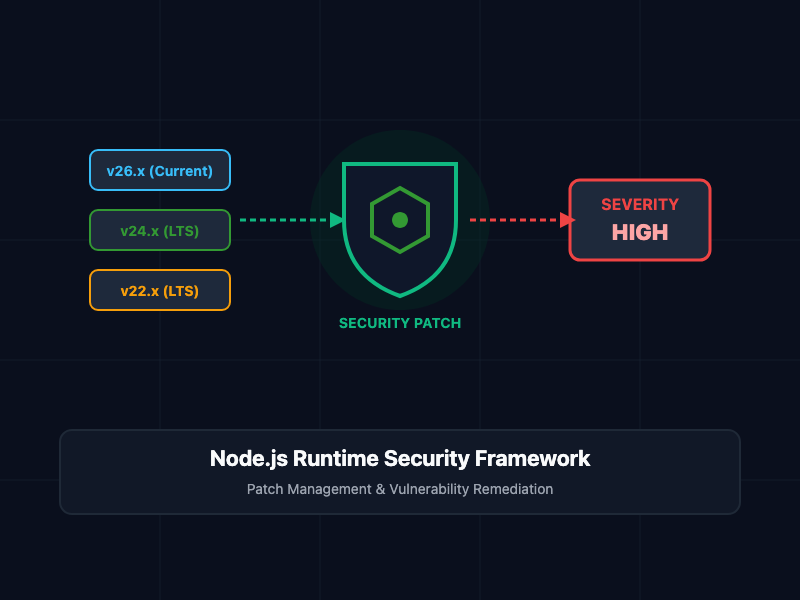
The Node.js project announced coordinated security releases for all active release lines: 26.x (Current), 24.x (LTS), and 22.x (LTS).
The highest severity issue remediated across these release branches is categorized as HIGH. While full Common Vulnerabilities and Exposures (CVE) details are withheld until binary packages are officially signed and distributed, high-severity classification typically denotes potential remote code execution (RCE), unauthorized memory access, or high-impact denial-of-service (DoS) vectors.
Crucially, End-of-Life (EOL) versions receive no security updates. Applications operating on legacy versions (such as Node.js 18.x, 20.x, or older) remain permanently vulnerable to these security flaws.
Core Concepts and Affected Release Lines
1. Scope of the Affected Release Branches
The security update spans three primary release channels:
- Node.js 26.x: The active cutting-edge distribution channel containing the latest V8 features and experimental APIs.
- Node.js 24.x: Active Long-Term Support (LTS) environment recommended for enterprise workloads.
- Node.js 22.x: Maintenance LTS channel servicing legacy production deployments.
Because the underlying vulnerability impacts core runtime components shared across all three major versions, every tier of your Node.js infrastructure must be patched simultaneously.
2. Local Environment Audit and Runtime Upgrade
To inspect local binary versions and execute controlled upgrades across development and staging environments, developers should use version managers like Node Version Manager (nvm) alongside package dependency audits.
The following shell execution pipeline checks active runtime versions, installs the updated distribution branch, and re-links existing global tooling:
# Verify current active Node.js binary version
node -v

# Update Node.js to the latest patched release line (e.g., v26.x)
nvm install 26 --reinstall-packages-from=current

# Re-alias default runtime pointer
nvm alias default 26

# Verify runtime version post-installation
node -v

# Perform high-severity dependency audit on active projects
npm audit --audit-level=high
3. Automated CI/CD Pipeline Audit
To ensure container images and runtime environments do not deploy unpatched Node.js binaries to production, incorporate an automated auditing phase into your Continuous Integration (CI) workflows.
The following GitHub Actions workflow demonstrates how to enforce Node.js version alignment and vulnerability scanning on every pull request:
name: Node.js Security & Version Audit

on:
  push:
    branches: [ main ]
  pull_request:
    branches: [ main ]
  schedule:
    - cron: '0 0 * * 1' # Weekly automated security audit

jobs:
  runtime-security-check:
    runs-on: ubuntu-latest
    steps:
      - name: Checkout Source Repository
        uses: actions/checkout@v4

      - name: Configure Target Node.js LTS Engine
        uses: actions/setup-node@v4
        with:
          node-version: '24.x'
          cache: 'npm'

      - name: Validate Runtime Version
        run: |
          NODE_VERSION=$(node -v)
          echo "Active Node.js Version: ${NODE_VERSION}"

      - name: Run High-Severity Package Audit
        run: |
          npm audit --audit-level=high --only=prod
Best Practices for Securing Node.js Deployments
- Decommission EOL Runtimes: Audit your container registry and server instances to eliminate all End-of-Life Node.js runtimes. Migrate workloads to active LTS branches (24.x or 22.x) immediately.
- Pin Minimal Base Container Images: Use official Docker images built on Alpine Linux or Distroless (node:24-alpine or gcr.io/distroless/nodejs24-debian12) to reduce the attack surface area of underlying system libraries.
- Automate Dependency and Image Scanning: Integrate vulnerability scanners such as Trivy, Grype, or Snyk into your container registry to detect outdated Node.js base images automatically.
- Subscribe to Official Security Advisories: Monitor the official nodejs-sec mailing list to receive pre-notifications regarding upcoming security release schedules and patch availability windows.
Getting Started
To prepare your organization for the security update, catalog all active Node.js deployments across your infrastructure. Once the patch binaries are made available, prioritize updates for public-facing edge services and API gateways first, followed by internal background workers and microservices.
By maintaining disciplined patch management and continuous container scanning, you ensure your Node.js applications remain resilient against emerging security threats.