The Problem Modern Web Architecture Faces
In today's fast-paced tech landscape, handling millions of concurrent client connections while maintaining low latency and high availability is a major challenge. Early web servers hit massive bottlenecks when scaling applications:
- Resource exhaustion: Traditional thread-per-connection servers (like legacy Apache setups) crash under heavy traffic spikes because each connection consumes dedicated server memory.
- Exposed backends: Exposing application servers directly to the public internet creates severe security risks and prevents smooth backend refactoring.
- Unbalanced traffic: Without intelligent traffic distribution, single application instances become overloaded while others sit idle.
- Redundant processing overhead: Handling SSL/TLS handshakes, serving static assets, and managing media requests directly on application servers burns unnecessary CPU cycles.
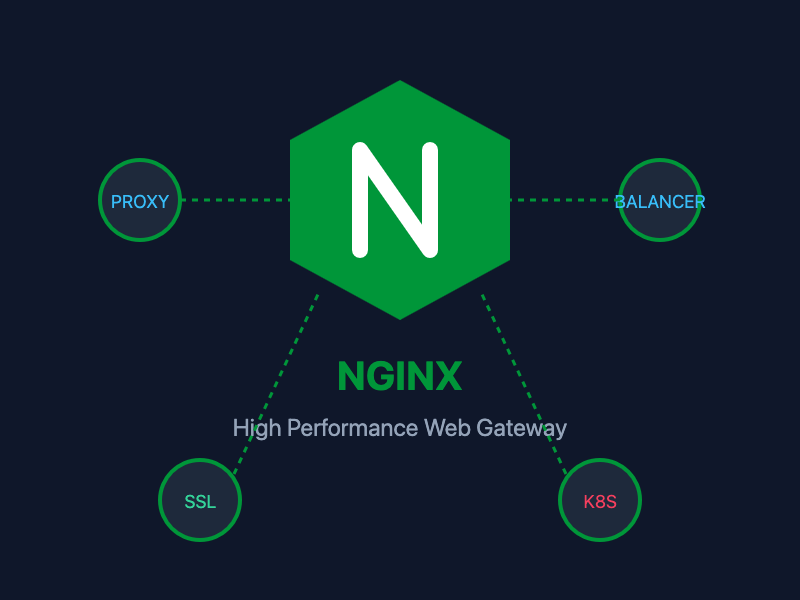
NGINX solves these architectural bottlenecks through its asynchronous, event-driven architecture, acting as an ultra-fast gateway between clients and your backend services.
What Is NGINX?
Created by Igor Sysoev in 2004 to solve the "C10K problem" (handling 10,000 concurrent connections on a single server), NGINX has evolved from an ultra-fast web server into the world's most popular reverse proxy, load balancer, and cloud-native ingress engine.
Unlike traditional web servers that spawn a new process or thread for every incoming HTTP connection, NGINX uses a non-blocking, event-driven master-worker process model. This allows a single worker process to handle tens of thousands of HTTP requests simultaneously with minimal RAM and CPU footprint.
Top 10 NGINX Use Cases
1. Reverse Proxy
NGINX acts as a intermediate server sitting between public clients and your internal backend applications (Node.js, Python, Go, Java, PHP).
- Hides internal topology: Clients only see NGINX, keeping application server IPs, ports, and internal architectures hidden.
- Request sanitization: Filters malicious requests before they ever hit your core application logic.
- Unified entry point: Routes external port 80 and 443 traffic to multiple backend ports (3000, 8080, 5000).
server {
    listen 80;
    server_name api.yourdomain.com;

    location / {
        proxy_pass http://127.0.0.1:3000;
        proxy_set_header Host $host;
        proxy_set_header X-Real-IP $remote_addr;
    }
}
2. Load Balancing
To achieve high availability and scale applications horizontally, NGINX distributes incoming traffic across multiple backend server instances using algorithms like Round Robin, Least Connections, or IP Hash.
upstream backend_servers {
    least_conn;
    server app1.internal:8080;
    server app2.internal:8080;
    server app3.internal:8080;
}

server {
    listen 80;

    location / {
        proxy_pass http://backend_servers;
    }
}
3. Static Content Hosting
Application servers like Node.js or Python shouldn't waste memory serving raw HTML, CSS, JavaScript files, images, or video streams. NGINX serves static files directly from disk with near-zero latency, making it the ideal host for React, Vue, Angular, and Next.js static exports.
server {
    listen 80;
    root /var/www/my-frontend/dist;
    index index.html;

    location / {
        try_files $uri $uri/ /index.html;
    }
}
4. API Gateway
In microservice architectures, NGINX operates as an API Gateway. It centralizes cross-cutting concerns such as request authentication, rate limiting, logging, and routing API calls (/api/v1/auth, /api/v1/payments) to their respective downstream microservices.
5. SSL/TLS Termination
Decrypting HTTPS traffic is CPU-intensive. NGINX handles SSL/TLS termination at the edge, decrypting incoming HTTPS requests and passing unencrypted HTTP requests over secure internal networks to backend application servers. This offloads encryption work from your backends and simplifies SSL certificate management (e.g., Let's Encrypt / Certbot integration).
server {
    listen 443 ssl http2;
    server_name mydomain.com;

    ssl_certificate /etc/letsencrypt/live/mydomain.com/fullchain.pem;
    ssl_certificate_key /etc/letsencrypt/live/mydomain.com/privkey.pem;

    location / {
        proxy_pass http://localhost:8080;
    }
}
6. Caching
NGINX can store responses from backend application servers in memory or on disk. Subsequent requests for the same content are served instantly from the NGINX cache without touching your database or backend logic, dramatically reducing server response times.
7. Microservices Routing
In cloud-native setups, NGINX routes traffic based on URL paths, HTTP headers, or domain names to direct users to specific microservices:
location /users/ {
    proxy_pass http://user_service:5001/;
}

location /orders/ {
    proxy_pass http://order_service:5002/;
}

location /payments/ {
    proxy_pass http://payment_service:5003/;
}
8. Rate Limiting & DDoS Mitigation
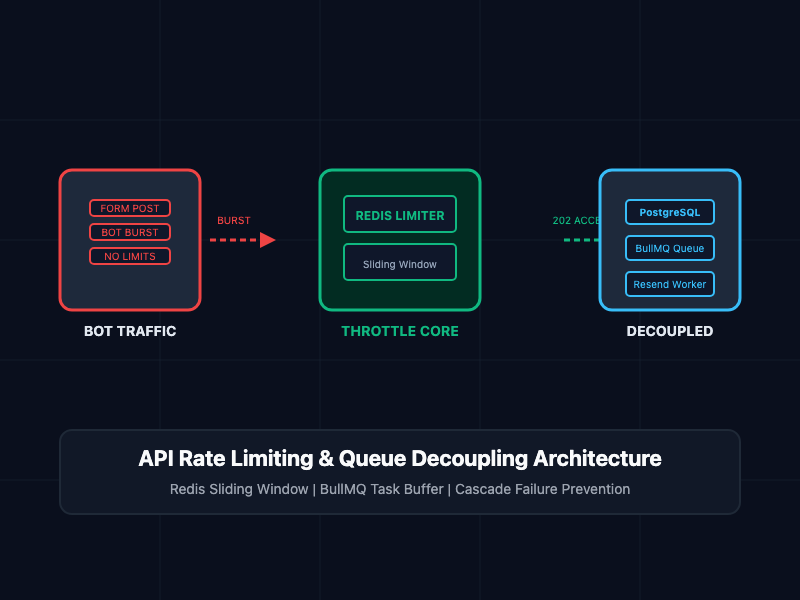
NGINX protects backends from brute-force login attempts, scraping bots, and Distributed Denial of Service (DDoS) attacks by enforcing request rate limits per IP address.
limit_req_zone $binary_remote_addr zone=api_limit:10m rate=10r/s;

server {
    location /api/login {
        limit_req zone=api_limit burst=5 nodelay;
        proxy_pass http://auth_service;
    }
}
9. WebSocket Proxying
Real-time applications—such as live chat apps, collaborative tools, online gaming, and live analytics dashboards—rely on persistent WebSocket connections. NGINX natively handles WebSocket upgrade headers and keeps persistent connections open without blocking server resources.
location /ws/ {
    proxy_pass http://websocket_backend;
    proxy_http_version 1.1;
    proxy_set_header Upgrade $http_upgrade;
    proxy_set_header Connection "Upgrade";
}
10. Kubernetes Ingress Controller
In Kubernetes environments, the NGINX Ingress Controller acts as the intelligent front door for your cluster. It manages external HTTP/HTTPS access to services running inside pods, taking care of SSL termination, path-based routing, and load balancing across cluster nodes.
NGINX vs. Apache vs. Envoy
| Feature | NGINX | Apache HTTP Server | Envoy Proxy |
|---|---|---|---|
| Architecture | Event-driven, non-blocking | Process/Thread per connection | Asynchronous, C++ cloud-native |
| Primary Strengths | Static assets, Reverse Proxy, High concurrency | Modular flexibility (.htaccess) | Service mesh, telemetry, dynamic API |
| Memory Usage | Extremely low | Moderate to high | Low to moderate |
| Common Deployment | Edge gateway, Web server, Ingress | Legacy web hosting | Kubernetes Service Mesh (Istio) |
Best Practices
- Always run nginx -t before reloading configuration files to catch syntax errors and prevent downtime.
- Enable HTTP/2 or HTTP/3 on SSL listeners for multiplexed connections and lower latency.
- Tune worker connections: Set worker_processes auto; and adjust worker_connections to maximize throughput.
- Gzip or Brotli compression: Compress text, JSON, and CSS on the fly to save network bandwidth.
- Keep NGINX updated to patch potential security vulnerabilities.
Getting Started
Install NGINX on Ubuntu/Debian (sudo apt install nginx) or run it inside Docker (docker run -p 80:80 nginx). Test your configuration, reload the daemon (nginx -s reload), and you have a battle-tested, high-performance gateway ready to back your modern applications.